
Overview
While I was standing up VMware Cloud Foundation 9 in my lab, I was trying to also configure it according to the layout on the Planning & Preparation Workbook. Unfortunately, I quickly realized that mapping the workbook to the UI required significant navigation due to nested and distributed settings. The screens are buried in the UI and some are even multi-layered down. This post will hopefully provide a 1:1 mapping so the configuration can be achieved with less stress.
Scope
This post maps key items from the VCF 9.0.2 Planning & Preparation Workbook
to their exact UI locations in VCF Operations.
Focus Areas
- Backup configuration (SFTP)
- Certificate authority integration
- Depot configuration (management + instances)
Assumptions
- VCF 9.x deployed
- VCF Operations available
RTFM
| Workbook Section | Component | UI Path |
|---|---|---|
| SFTP Backups | VCF Management | VCF Operations → Fleet Management: Lifecycle → VCF Management → Settings → SFTP Settings |
| Certificates (Management) | VCF Management | VCF Operations → Fleet Management: Certificates → VCF Management → Configure CA |
| Certificates (VCF Instance) | VCF Instance | VCF Operations → Fleet Management: Certificates → VCF Instances → [choose instance] → Configure CA |
| Depot (Management) | VCF Management | VCF Operations → Fleet Management: Lifecycle → VCF Management → Depot Configuration |
| Depot (VCF Instance) | VCF Instance | VCF Operations → Fleet Management: Lifecycle → VCF Instances → [choose instance] → Depot Settings |
Planning & Preparation Workbook
The version of the workbook I am referencing is for 9.0.2.
The tab I will be referencing is Configure Management Domain.
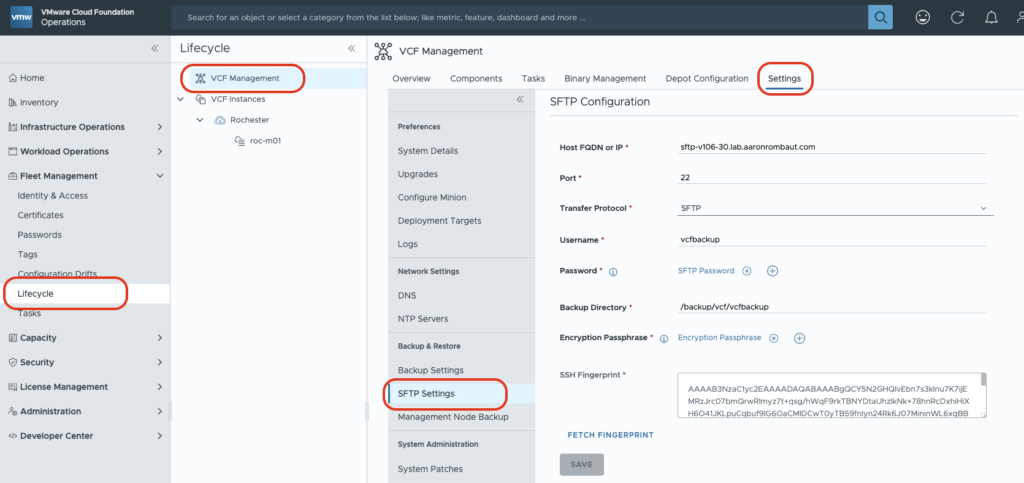
Configure SFTP Backups for SDDC Manager and NSX {VCF Operations}
UI Location: VCF Operations > Fleet Management: Lifecycle > VCF Management > Settings > SFTP Settings
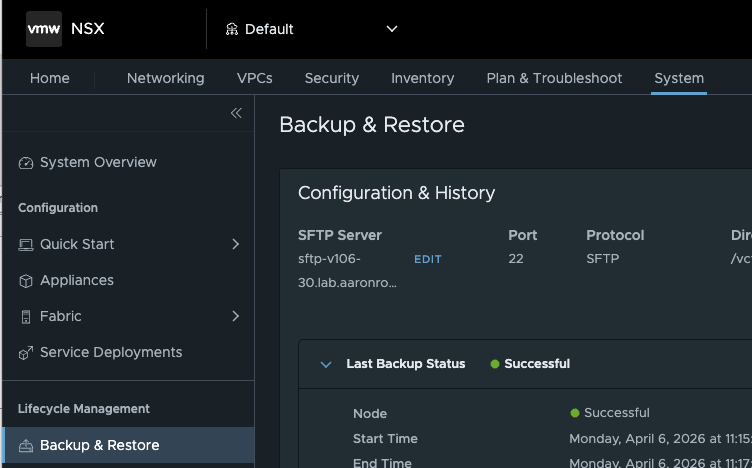
For NSX, to verify: NSX Manager > System > Lifecycle Management: Backup & Restore
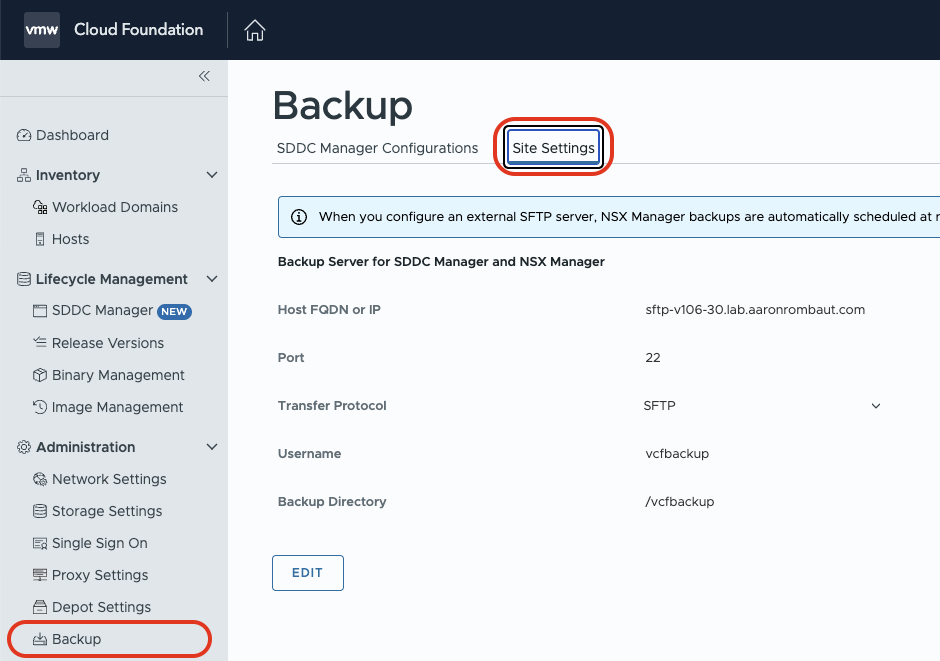
For SDDC Manager, to verify: SDDC Manager > Administration: Backup > Site Settings
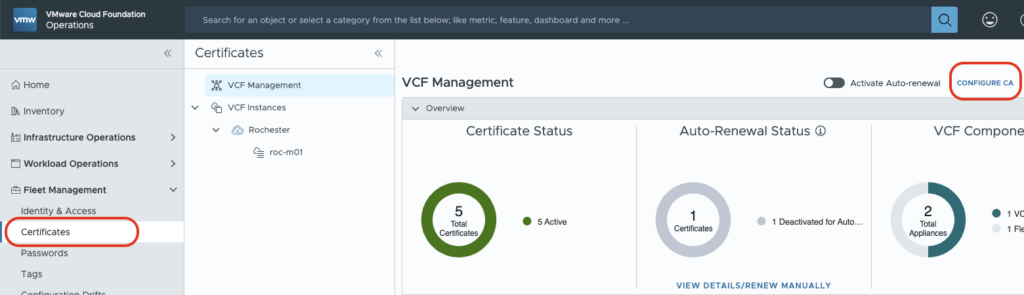
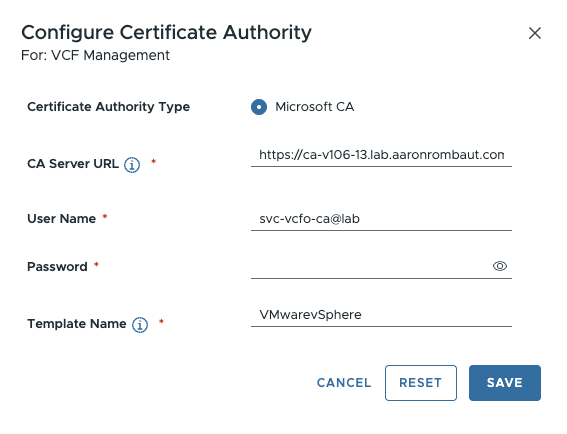
Apply Signed Certificates: Configure a Microsoft Certificate Authority in VCF Operations (VCF Management)
This location is for VCF Management. Only a Microsoft CA can be configured here.
UI Location: VCF Operations > Fleet Management: Certificates > VCF Management > Configure CA
Apply Signed Certificates: Configure a Microsoft Certificate Authority in VCF Operations (VCF Instance)
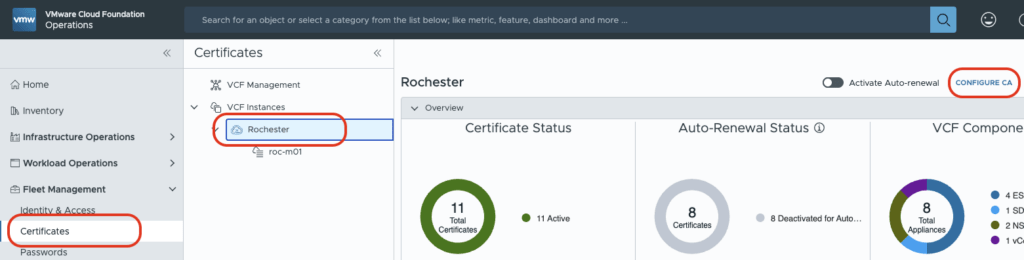
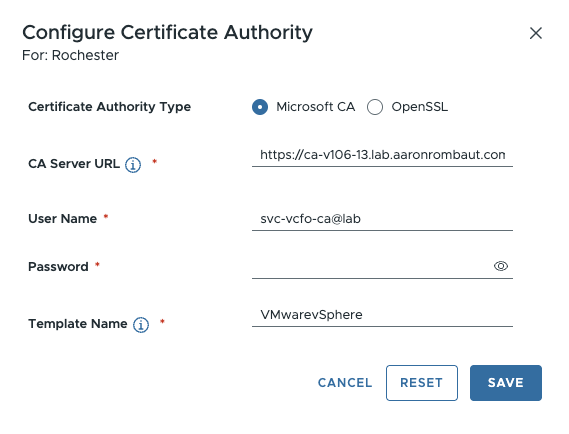
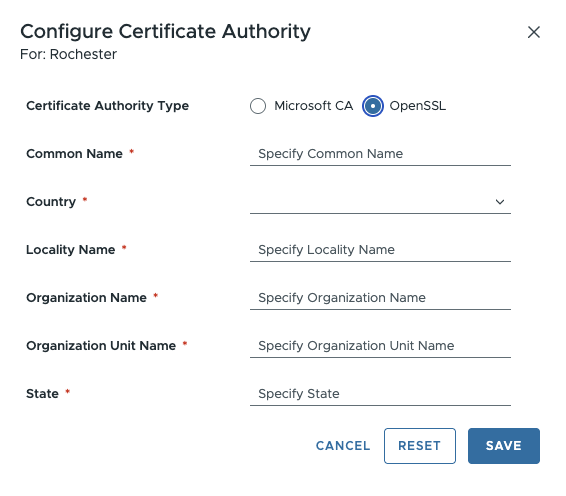
This location is per VCF Instance. Either a Microsoft CA or an OpenSSL server can be configured.
UI Location: VCF Operations > Fleet Management: Certificates > VCF Instances: [instance name] > Configure CA
Apply Signed Certificates: Configure OpenSSL-signed Certificates in VCF Operations
This location is per VCF Instance. Either a Microsoft CA or an OpenSSL server can be configured.
UI Location: VCF Operations > Fleet Management: Certificates > VCF Instances: [instance name] > Configure CA
Depot Configuration
VCF Management
This will configure the depot for VCF Management. Depot Configuration is necessary to view Upgrade Binaries, Patch Binaries, and Install Binaries.
UI Location: VCF Operations > Fleet Management: Lifecycle > VCF Management > Depot Configuration
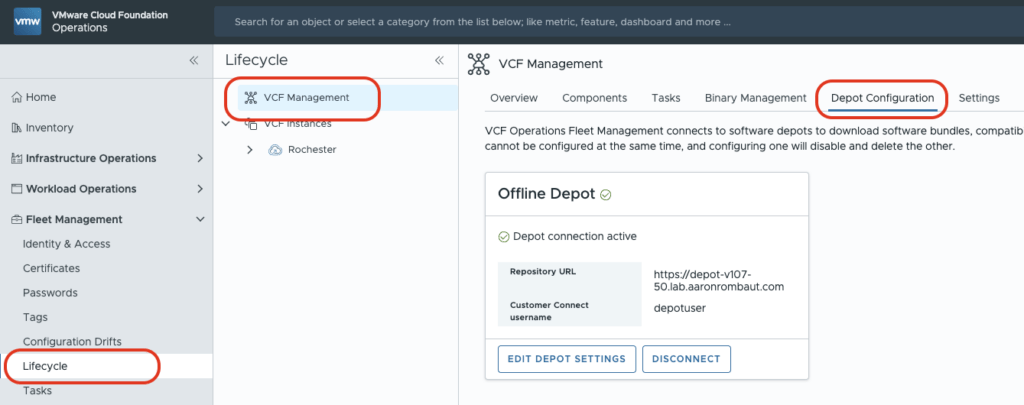
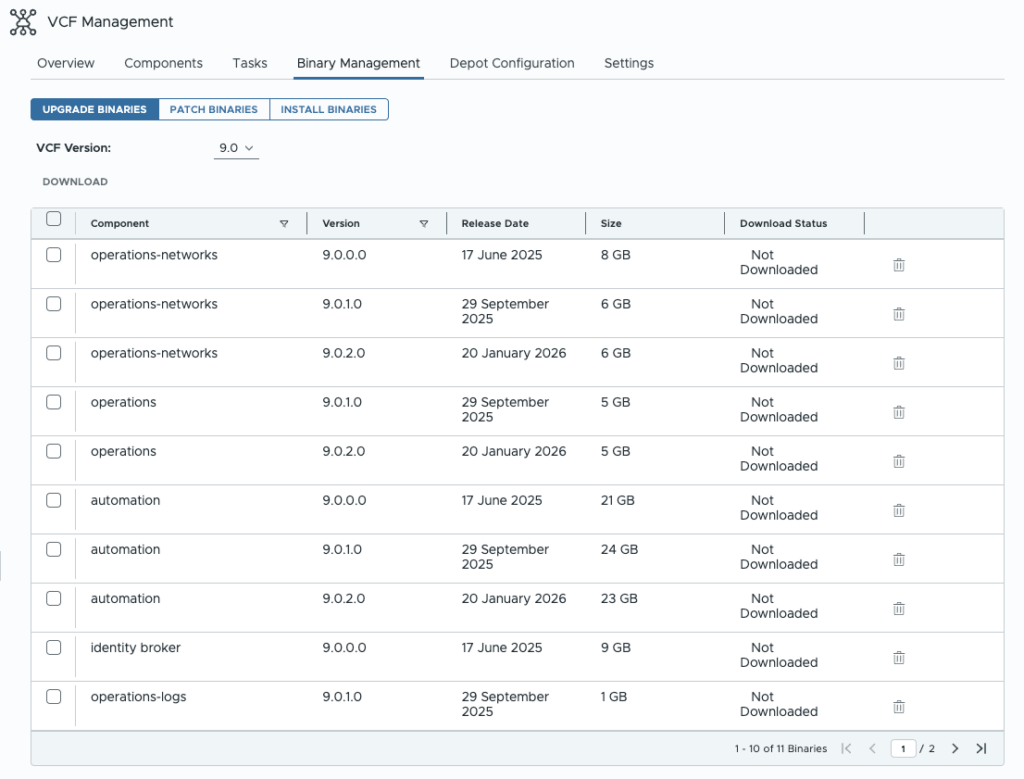
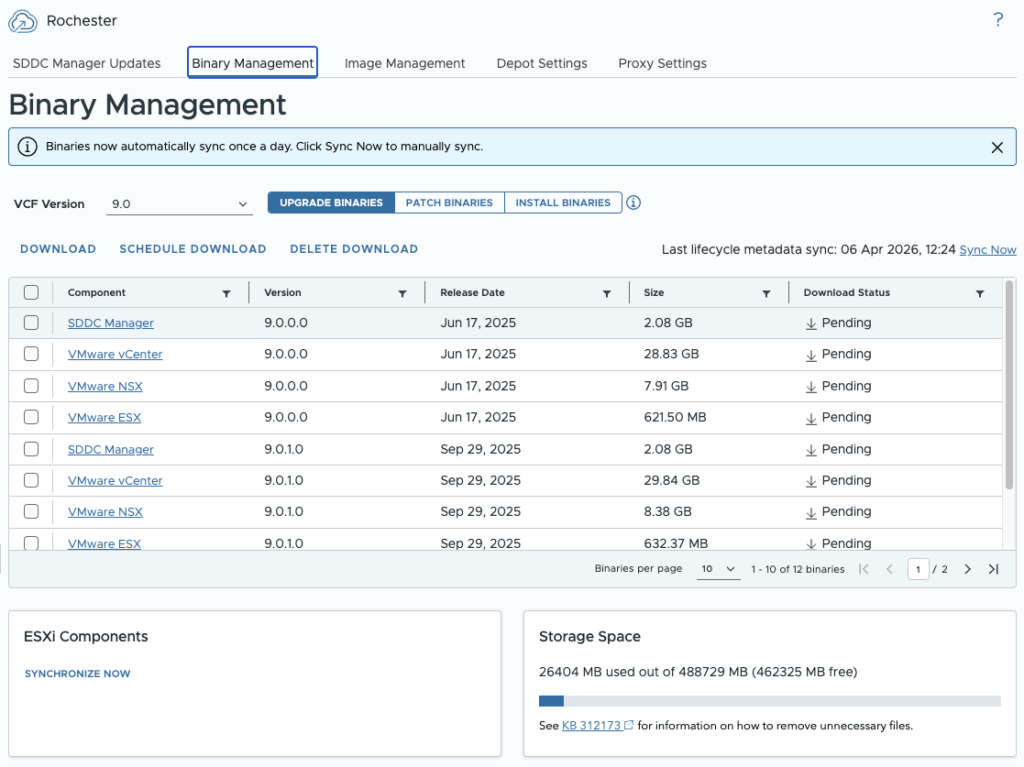
Binary Management will now be populated.
VCF Instances
This will configure the depot for an individual VCF Instance. Every VCF Instance must be configured individually.
UI Location: VCF Operations > Fleet Management: Lifecycle > VCF Instances: [instance name] > Depot Settings
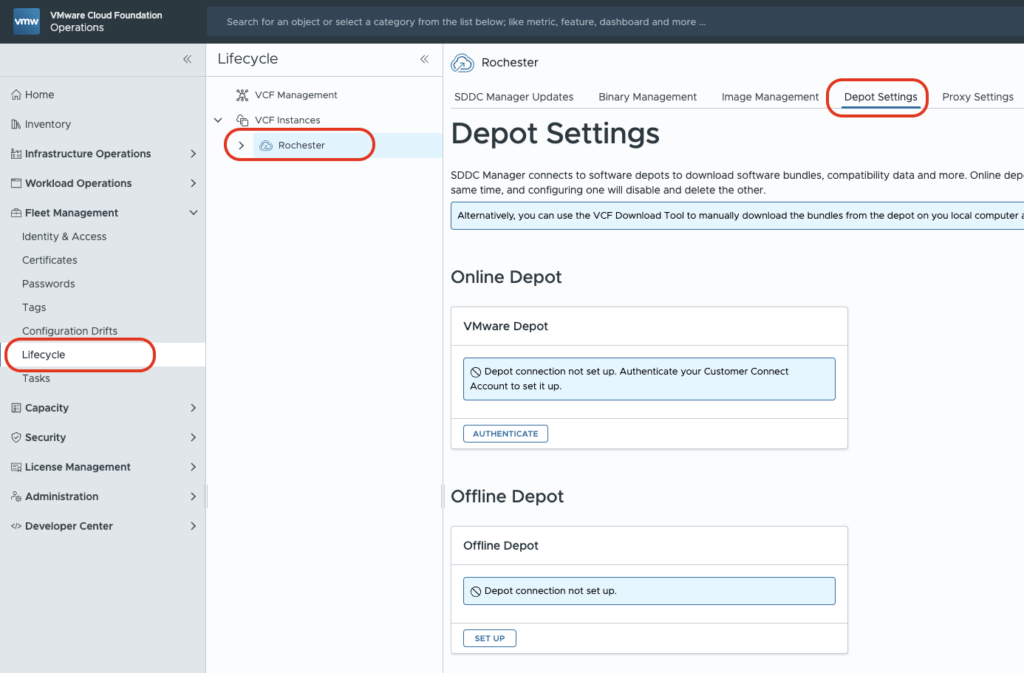
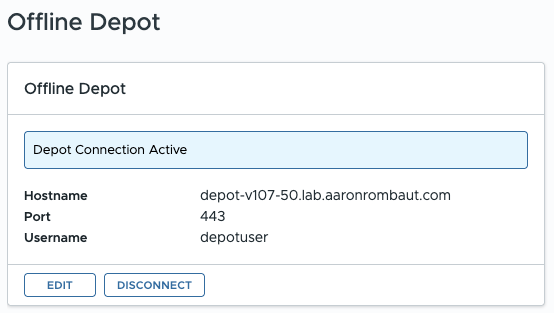
This is what an active configured depot will look like after configuring an Offline Depot.
Now, the Binary Management tab will be populated. Upgrade Binaries, Patch Binaries, and Install Binaries can now be managed.
Summary
The Planning & Preparation Workbook provides the what, but not always the where.
By mapping each item to its exact UI location:
- Configuration becomes repeatable
- Lab → production translation improves
- Time spent navigating the UI is reduced
Leave a Reply