
Overview
It is somewhat surprising to me that I avoided using the OVF Tool for as long as I did. Recently, however, I ran into a situation where I finally had to learn how to use it properly. The command structure is still somewhat perplexing and undeniably complex, but after spending some time with it, I can already see it becoming a regularly used part of my workflow.
This post is not intended to be prescriptive or authoritative by any means. It is primarily meant to serve as documentation for future me on how to create OVA files and deploy them into environments when browser-based workflows are either unavailable or impractical.
Another humbling realization was discovering that very large OVA uploads are not particularly well suited for browser-based deployment workflows due to session limits, browser overhead, and upload reliability concerns. This became especially obvious when I stopped and thought about how large some modern appliance deployments have become. For example, individual NSX Manager 4.x OVA files can easily exceed 10 GB.
RTFM
OVF and OVA Limitations for the VMware Host Client
Open Virtualization Format (OVF) Tool
OVF Tool Help
The online User Guide referenced above contains significantly more detail than the built-in command line help. However, I also wanted to include the command line help output directly in this post so that future me has a quick reference available without needing to log into a virtual machine or reinstall the OVF Tool just to check syntax.
One thing I quickly learned is that the --help locators and --help examples options are particularly useful when trying to understand the unique source and destination syntax used by the OVF Tool.
Below is the standard command line help output:
Usage: ovftool [options] <source> [<target>]
where
<source>: Source URL locator to an OVF package, VMX file, or virtual machine in
          vCenter or on ESX Server.
<target>: Target URL locator which specifies either a file location, or a
          location in the vCenter inventory or on an ESX Server.

If <target> is not specified, information about the source is displayed to the
console.

Options:
     --acceptAllEulas            : Accept all end-user licenses agreements
                                   without being prompted.
     --addDevice                 : Adds a virtual device for all
                                   VirtualHardwareSections. The syntax is
                                   --addDevice:<type>[=<opt1>=<val1>[,<opt2>=<val2>...]].
                                   Device type currently can be only 'vtpm'.
                                   Valid options for vTPM devices are:
                                   required(true, false), name(text). Applies
                                   to vi, vmx, vapprun, vCloud, ovf, and ova
                                   source locators.
     --allowAllExtraConfig       : Whether we allow all the ExtraConfig
                                   options. These options are a security risk

                                   from.
     --coresPerSocket            : Specifies the distribution of the total
                                   number of CPUs over a number of virtual
                                   sockets using the syntax
                                   --coresPerSocket:<VM ID>=<value>. Only
                                   applies to vCloud targets version 5.5 or
                                   newer.
 -ds/--datastore                 : Target datastore name for a VI locator.
     --decodeBase64              : Decode option values with Base64.
     --defaultStorageProfile     : The storage profile for all VMs in the OVF
                                   package. The value should be an SPBM profile
                                   ID. Only applies to VI targets version 5.5
                                   or newer.
     --defaultStorageRawProfile  : The storage profile for all VMs in the OVF
                                   package. The value should be raw SPBM
                                   profile. The value will overwrite that in
                                   --defaultStorageProfile. Only applies to VI
                                   targets version 5.5 or newer.
     --deploymentOption          : Selects what deployment option to use (if
                                   the source OVF package supports multiple
                                   options.)
     --disableVerification       : Skip validation of signature and
                                   certificate.
 -dm/--diskMode                  : Select target disk format. Supported formats
                                   are: monolithicSparse, monolithicFlat,
                                   twoGbMaxExtentSparse, twoGbMaxExtentFlat,
                                   seSparse (VI target), eagerZeroedThick (VI
                                   target), thin (VI target), thick (VI
                                   target), sparse, and flat
     --diskSize
 -h /--help                      : Prints this message.
     --hideEula                  : In OVF probe mode, hides the EULA.
     --httpVersion               : Set in rare cases to override HTTP version.
                                   The valid values are as following:
                                     HTTPv1_0: Set preferred HTTP version to
                                   HTTPv1.0.
                                     HTTPv1_1: Set preferred HTTP version to
                                   HTTPv1.1.
                                     HTTPv2_0: Set preferred HTTP version to
                                   HTTPv2.0.
                                     HTTPv3_0: Set preferred HTTP version to
                                   HTTPv3.0.
     --importAsTemplate          : Import VM as a Template when deployed on a
                                   VI target.
     --ipAllocationPolicy        : IP allocation policy for a deployed OVF
                                   package.Supported values are: dhcpPolicy,
                                   transientPolicy, fixedPolicy,
                                   fixedAllocatedPolicy.
     --ipProtocol                : Select what IP protocol to use (IPv4, IPv6).
     --lax                       : Relax OVF specification conformance and
                                   virtual hardware compliance checks. Use only
                                   if you know what you are doing.
     --locale                    : Selects locale for target.
     --machineOutput             : Output OVF Tool messages in a machine
                                   friendly manner.
     --makeDeltaDisks            : Build delta disk hierarchy from the given
                                   source locator.
     --maxVirtualHardwareVersion : The maximal virtual hardware version to
                                   generate.
     --memorySize
                                   name>,<isPrimary>,<ipAddressingMode>,<ipAddress>.
                                   Possible values for ipAddressingMode are:
                                   DHCP, POOL, MANUAL, and NONE. ipAddress is
                                   optional and should only be used when
                                   ipAddressingMode is set to MANUAL. Only
                                   applies to vCloud targets version 5.5 or
                                   newer.
     --noDestinationSSLVerify    : Skip SSL verification for target VI
                                   connections.
     --noDisks                   : Disable disk conversion.
     --noImageFiles              : Do not include image files in destination.
     --noNvramFile               : Do not include nvram file in destination.
     --noProxyVerify             : Skip Proxy SSL verification.
     --noSSLVerify               : Skip SSL verification for VI connections.
     --noSourceSSLVerify         : Skip SSL verification for source VI
                                   connections.
     --numberOfCpus              : Sets the number of CPUs for a VM using the
                                   syntax --numberOfCpus:<VM ID>=<value>. Only
                                   applies to vCloud targets version 5.5 or
                                   newer.
 -o /--overwrite                 : Force overwrites of existing files.
     --packageCert               : Package a source OVF files with a
                                   certificate file into an OVA as is with no
                                   modifications.
     --parallelThreads           : Specifies how many threads should be used
                                   for parallel transfer.
     --powerOffSource            : Ensures a VM/vApp is powered off before
                                   importing from a VI source.
     --powerOffTarget            : Ensures a VM/vApp is powered off before
                                   overwriting
                                   SHA256 and SHA512. Default value is SHA256.
     --signCommand               : User callback to sign a manifest (.mf) file.
                                   The command will take the .mf file as a
                                   single argument and should generate a
                                   complimentary .cert in the same directory.
     --skipManifestCheck         : Skip validation of OVF package manifest.
     --skipManifestGeneration    : Skip generation of OVF package manifest.
     --sourcePEM                 : File path to PEM formatted file used to
                                   verify VI connections.
     --sourceSSLThumbprint       : SSL fingerprint of SOURCE. OVF Tool verifies
                                   the SSL fingerprint it gets from SOURCE if
                                   the value is set.
 -st/--sourceType                : Explicitly express that source is OVF, OVA,
                                   VMX, VI, vCloud, ISO, FLP, vApprun
     --sslCipherList             : Use this to override default OpenSSL ciphers
                                   suite.
     --sslVersion                : Use this to set preferred TLS/SSL version
                                   for HTTPS connections. The valid values are
                                   as following:
                                     TLSv1_0: Set preferred TLS/SSL version to
                                   TLSv1.0.
                                     TLSv1_1: Set preferred TLS/SSL version to
                                   TLSv1.1.
                                     TLSv1_2: Set preferred TLS/SSL version to
                                   TLSv1.2.
     --storageProfile            : Sets the storage profile for a VM using the
                                   syntax --storageProfile:<VM ID>=<value>.
                                   Only applies to vCloud targets version 5.5
                                   or newer.
     --targetPEM                 : File path t
                                   VMX, VI, vCloud, ISO, FLP, vApprun
     --vCloudTemplate            : Create only a vApp template. Default value
                                   is false
     --vService                  : Set a vService assignment in the deployed
                                   OVF package. A vService assignment is set
                                   using the syntax
                                   --vService:<dependencyId>=<providerId>.
     --verifyOnly                : Do not upload the source but only verify it
                                   against the target host. Applies to VI 4
                                   targets only.
     --verifyViTargetManifest    : Verify Sha1 digest of deployed files on a VI
                                   target.
 -v /--version                   : Prints the version of this tool.
     --viCpuResource             : Specify the CPU resource settings for
                                   VI-locator targets. The syntax is
                                   --viCpuResource=<shares>:<reservation>:<limit>.
     --viMemoryResource          : Specify the CPU resource settings for
                                   VI-locator targets. The syntax is
                                   --viMemoryResource=<shares>:<reservation>:<limit>.
 -vf/--vmFolder                  : Target VM folder in VI inventory (relative
                                   to datacenter).

For more help, type: --help <topic>, where topics are:
 locators    : For detailed source and destination locator syntax
 examples    : For examples of use
 config      : For syntax of configuration files
 debug       : For debug purpose
 integration : For a list of options primarily used when ovftool is exec'ed
               from another tool or shellscript.
Locators
The locator syntax was probably the most confusing part of learning the OVF Tool. The source and destination formats are very particular, especially when targeting vCenter inventory objects such as datacenters, clusters, and folders.
The following examples from the built-in help were useful for understanding the required URI-style formatting:
  - <path to dst .ovf, .ova, or .vmx file>
    (All destination files are created relative to the parent directory of the
     given file)

  - <path to a directory>
    (A destination files are created in a subdirectory of the given
     directory. The name of the given directory and the destination files
     are given by the source, unless explicit given by the --name argument)

  - <path to a vApprun workspace>[/<name>]
    (A vApprun entity is created in the vApprun workspace. If no name
     is specified, the name is derived from the source)

  - vi://[<username>[:<password>]@]<host>[:<port>]/<searchTerm>
    (destination of VM/vApp in vCenter or ESX Server)

  where:

  searchTerm: Is a specification of a resource pool, host system, or cluster
    (see syntax for source locator). When connected directly to an ESX host,
    this must be left empty.

  - vcloud://[<username>[:<password>]@]<host>[:<port>]?org=<vcloud org>&vapp=<vapp name>
      &vdc=<vdc name>[&catalog=<catalog name>][&vappTemplate=<vapp template name>]
    where:

    vapp and vappTemplate point to either a <vApp name> or <vapp template name>.
Examples
While the examples below are fairly generic, they were still helpful for understanding the overall structure and directionality of OVF Tool operations. After staring at the syntax for a while, it finally started to click that the tool is essentially built around translating sources into targets using locator paths.
   (.ovf file to vCenter server using vCenter inventory path)

   ovftool vi://username:pass@my_host/my_datacenter/vm/my_vm_folder/my_vm_name \
           /ovfs/my_vapp.ovf
   (VC/ESX vm to .ovf file)

   ovftool /virtualmachines/MyVM.vmx \
           ~my_vApprun_workspace/
   (Imports a .vmx file into a vApprun workspace using default name)

   ovftool https://my_ovflib/vm/my_vapp.ovf
   (shows summary information about the OVF package [probe mode])

   ovftool http://my_ovflib/vm/my_vapp.ovf \
           vcloud://username:pass@my_cloud?org=MyOrg&vdc=MyVDC&catalog=MyCatalog&vapp=myVapp
   (Imports an OVF from http into a vCloud instance and name the vApp myVapp)

    ovftool http://my_ovflib/vm/my_vapp.ovf \
           vcloud://username:pass@my_cloud?org=MyOrg&vdc=MyVDC&catalog=MyCatalog&vappTemplate=myTemplate
   (Imports an OVF from http into a vCloud instance and create vApp template)

   ovftool vi://username:pass@my_host/my_datacenter/vm/my_vm_folder/my_vm_name \
           vcloud://username:pass@my_cloud?org=MyOrg&vdc=MyVDC&catalog=MyCatalog&vapp=myVapp
   (Imports a VM from VI into a vCloud instance and name the vApp myVapp)

   ovftool vcloud://username:pass@my_cloud?org=MyOrg&vdc=MyVDC&catalog=MyCatalog&vapp=myVapp \
           /ovfs/myVapp.ovf
   (Exports a VM from a vCloud instance into an OVF package)
Creating an OVA
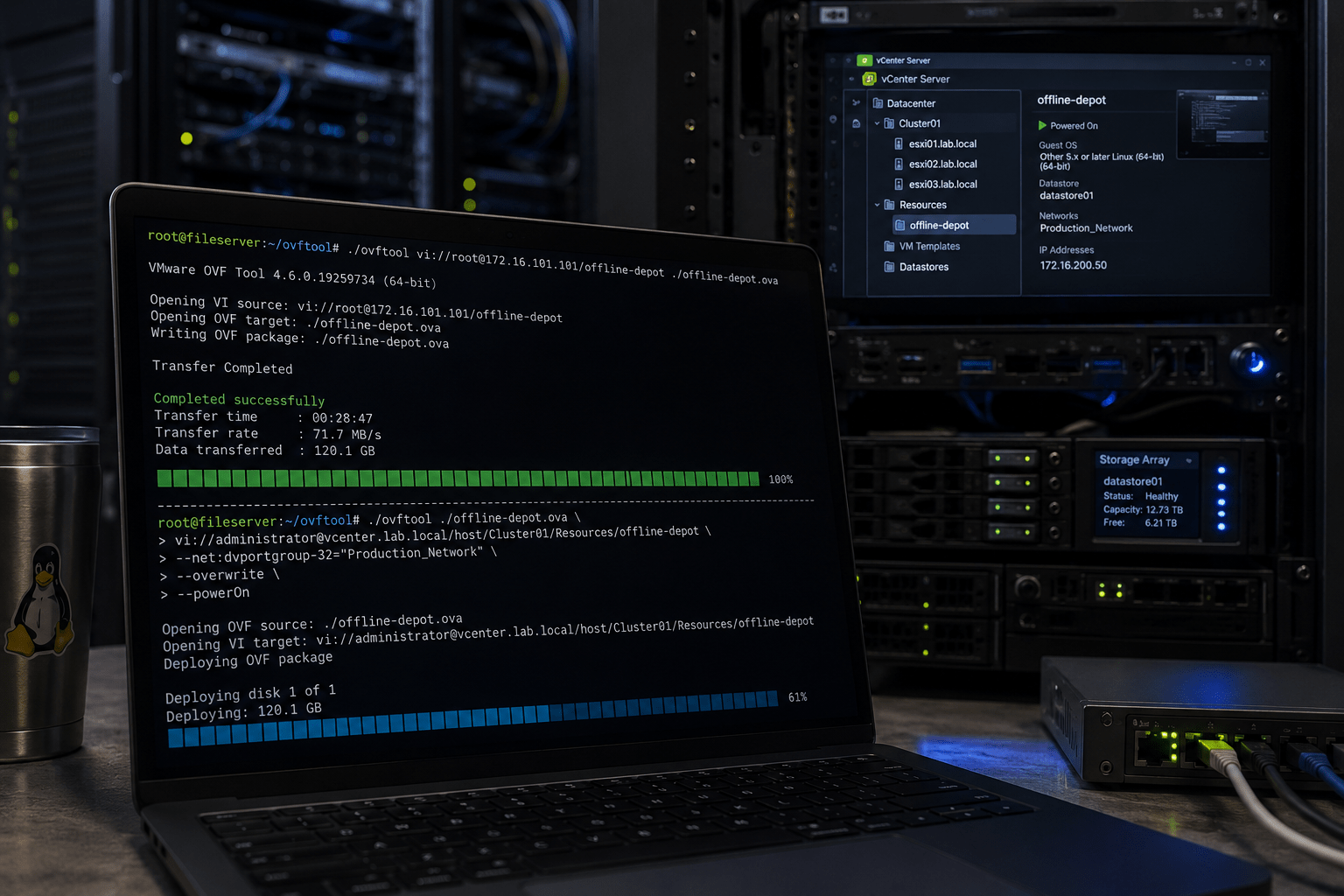
I had created a virtual machine that needed to be exported so it could be moved to other systems. Attempting this through the browser was not the best experience, as the transfer was effectively being funneled through the browser session itself, and I did not trust the session to remain active long enough for such a large transfer.
Instead, I installed the OVF Tool on my file server and exported the virtual machine directly from the ESXi host.
./ovftool vi://<user name><ESXi host>/<virtual machine name> <name of ova>.ovaThe following is an actual example from my environment:
/mnt/file-share/2026\ Lab/Vendors/VMware/OVFTool/ovftool/ovftool vi://[email protected]/offline-depot ./offline-depot.ovaIn this case, the OVA was written directly to shared storage on the file server rather than first downloading through a browser.
Deploying an OVA
The exact opposite scenario is when an OVA needs to be deployed into an environment and is too large or impractical to upload through the browser or a Content Library workflow. In this case, I decided to use tmux so that I could start the deployment and avoid babysitting the SSH session for the duration of the transfer.
./ovftool \
--acceptAllEulas \
--noSSLVerify \
--diskMode=thin \
--name="Depot-from-OVA" \
--datastore="virtual-machines" \
--net:"dvportgroup-32"="dvPG-VLAN107-VM Management" \
"/mnt/file-share/vendors/VMware/Offline Depot/offline-depot.ova" \
'vi://[email protected]':'<password>'@<vCenter FQDN>/<Datacenter name>/host/<Cluster name>
Using tmux ended up being extremely useful here because the deployment took long enough that I did not want it tied to a single SSH session.
A few lines to note:
The --net parameter ended up being particularly important. When the virtual machine was exported and packaged into an OVA, the original distributed port group name was generalized to dvportgroup-32. During deployment, I had to manually map that network to an actual port group in the target environment.
The destination locator syntax also took some trial and error to understand. Specifically, the word host must appear before the cluster name in the inventory path. Initially, I kept attempting to specify an actual ESXi host name, but in this context, host is effectively acting as part of the required inventory hierarchy syntax rather than referring to a specific host system.
Conclusion
I was genuinely impressed with how efficiently the OVF Tool transferred data without all the browser session overhead involved in traditional upload workflows. In fact, during the roughly 30 minutes it took me to write this post, the OVF Tool completely uploaded a 120 GB OVA into my vCenter environment.
What makes this even more impressive is that the particular file server performing the transfer only has a single 1 Gbps network interface.
Going forward, I will likely make much heavier use of the OVF Tool whenever it is available, especially for very large OVA workflows where browser-based deployments become unreliable or impractical.
This ended up being one of those utilities that looked intimidating at first but became significantly more approachable after a few successful real-world transfers.
Leave a Reply