
Overview
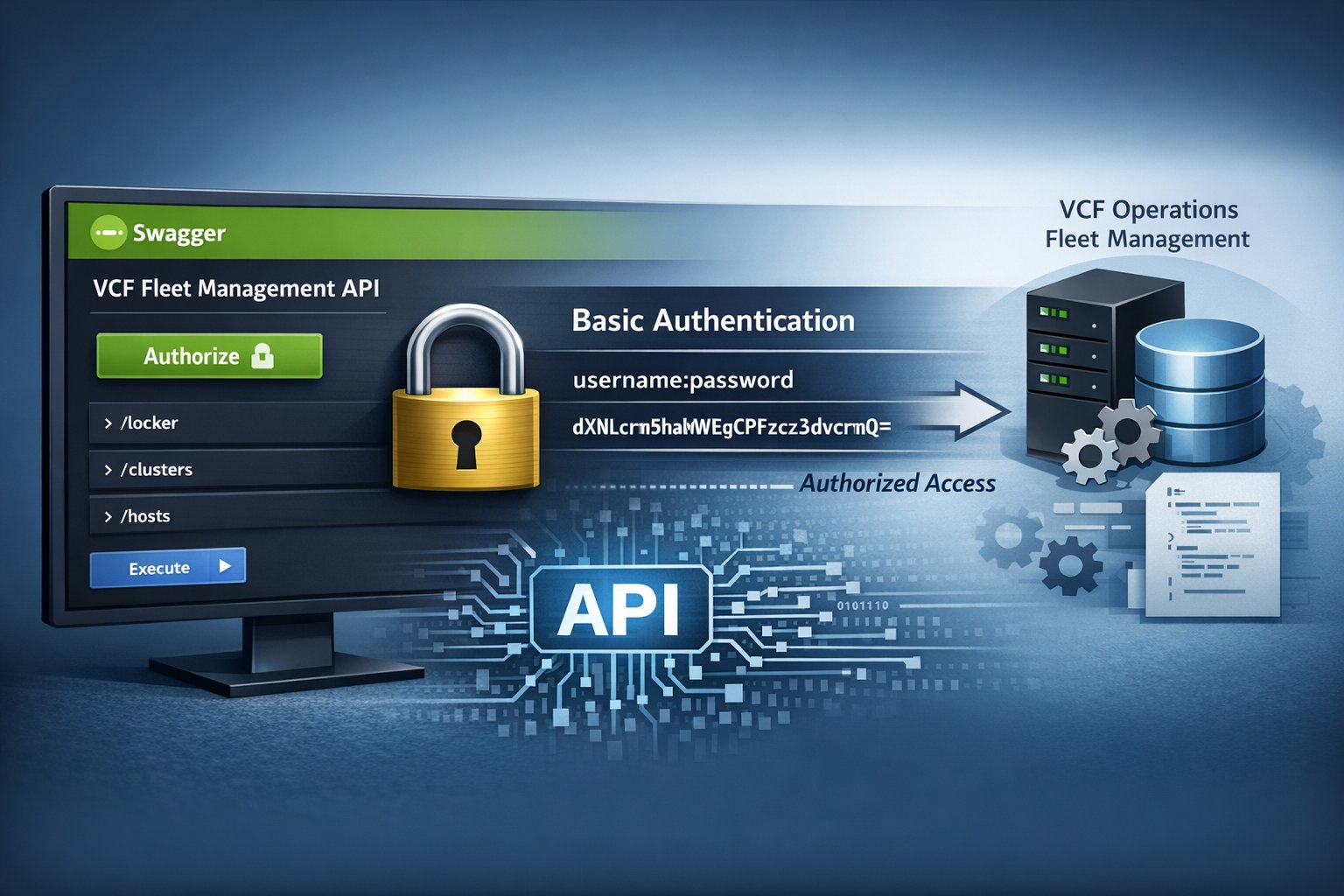
This is a quick reference on how to access and authorize the VCF Operations Fleet Management API. Swagger UI provides a front-end for interacting with the API and exploring available operations. Because the data is sensitive, an authorized session is required for the API to be usable. The goal is not deep API development, but rather establishing authenticated access so operations can be explored and executed directly.
RTFM
Community Reference – Brock Peterson’s Fleet Manager API walkthrough
Broadcom TechDocs – Fleet Management overview and architecture
Broadcom KB – Official authorization steps for Fleet Management API
Why Access the Fleet Management API
The VCF Operations Fleet Management API is the only supported method for interacting with Fleet Management functionality. Direct access through the UI is not available, and attempting to browse to the endpoint reinforces that API usage is required.
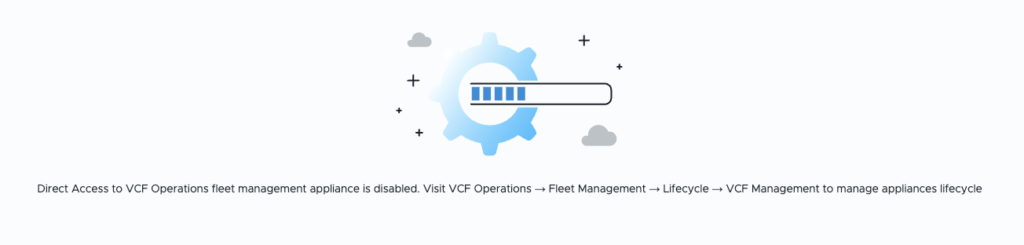
A practical example is working with the Locker. In platforms like VMware Aria Suite Lifecycle Manager, the Locker has a full UI for managing credentials and metadata. In VCF Fleet Management, that UI layer does not exist. While new entries can be created, modifying existing metadata (for example, updating a password description) requires the API.
Without API access, the only workaround would be to create duplicate entries, which introduces unnecessary sprawl and management overhead. The API provides a direct and supported way to update existing objects cleanly.
In practice, this makes Swagger UI the primary interface for interacting with Fleet Management. Once authorized, it enables precise updates and avoids operational inefficiencies that would otherwise result from UI limitations.
How to Reach the API
From VCF Operations, navigate to Developer Center → APIs & SDKs. Within the Fleet Management API card, select API documentation.
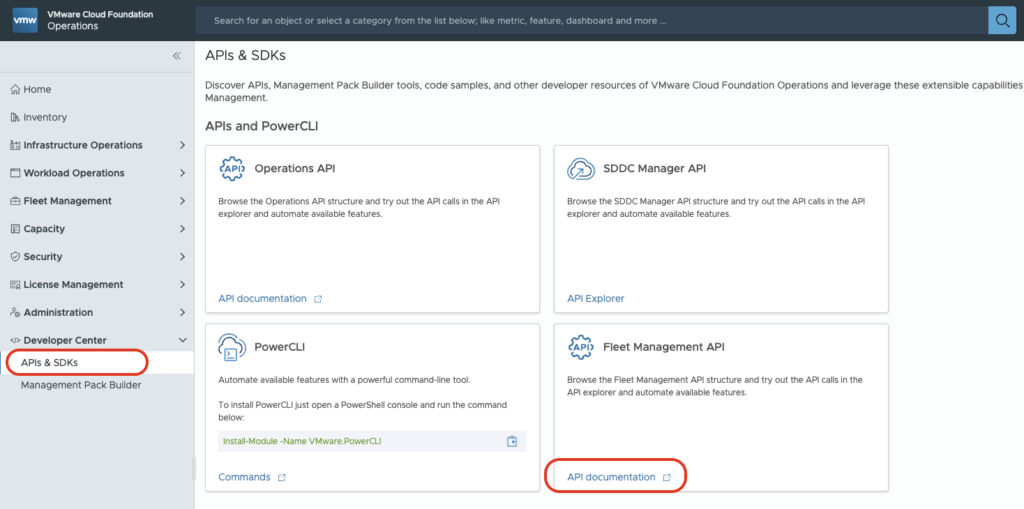
A new tab opens to the Swagger UI. From here, change the API definition to 2.private-internal-api to expose the available endpoints.

At the top of the list of available API categories, there is an Authorize button. By default, it may display a green button with an unlocked icon, which can be misleading—it appears ready, but no session is authorized. After successful authorization, the icon changes to a locked state, while the button remains green.

The next section covers how to construct the credentials required to complete the authorization process. At this point, the API is accessible, but not yet usable until a session is authorized.
How to Authorize Swagger UI
The VCF Operations Fleet Management API uses Basic Authentication, which requires a Base64-encoded string in the format:
username:passwordStep 1 – Build the Credential String
Combine the username and password into a single string:
username:passwordStep 2 – Encode to Base64
Encode the string using Base64. If you don’t have access to a Linux terminal, log into the console of one of the VCF appliances for this operation.
Note that if you are trying to authenticate with the ‘admin@local’ account, you must include the ‘@local’ part.
This will result in something like ‘admin@local:My$3cretP@55word!’.
Example command:
echo -n 'username:password' | base64Example output:
dXNlcm5hbWU6cGFzc3dvcmQ=Step 3 – Authorize in Swagger UI
- Click the Authorize button.
- Enter the value in this format:
Basic dXNlcm5hbWU6cGFzc3dvcmQ=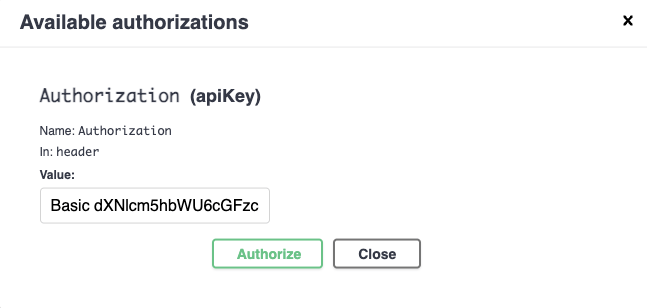
- Click Authorize. The Value: will be masked with asterisks.
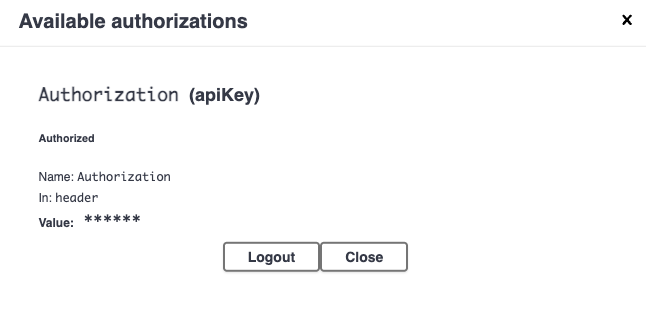
Be sure to close the window and not accidentally select the Logout button.
Once successful, the lock icon changes to a locked state, indicating the session is now authenticated.
Key Notes
- The
Basicprefix is required (including the space)- Do not include line breaks in the encoded string
- The Swagger UI does not validate credentials until an API call is made
Why Authorization Matters
Without authorization, the VCF Operations Fleet Management API is effectively read-only from a usability standpoint. While Swagger UI allows visibility into available endpoints, all meaningful operations require an authenticated session.
Authorization enables Swagger UI to include the required Authorization header with each request, allowing operations to be executed successfully. This is the transition point from passive exploration to active interaction.
In practice, authorization ensures:
- Requests are accepted and processed by the API
- Sensitive operations are permitted based on the authenticated user
- Responses return actual data instead of authentication errors
Without it, requests will fail with authorization-related errors (for example, HTTP 401), and the API cannot be used for real tasks such as updating Locker entries or performing Fleet Management operations.
Conclusion
The VCF Operations Fleet Management API is the only supported interface for interacting with Fleet Management functionality. While the UI provides entry points, meaningful interaction requires authenticated API access. By using Swagger UI and Basic Authentication, operations can be explored and executed directly. This approach enables precise control, avoids unnecessary workarounds, and ensures tasks—such as updating existing objects—can be completed efficiently and without duplication.
Leave a Reply